Free
$0for as long as you like
Testing, tagging, certificates and the client portal, with no time limit.
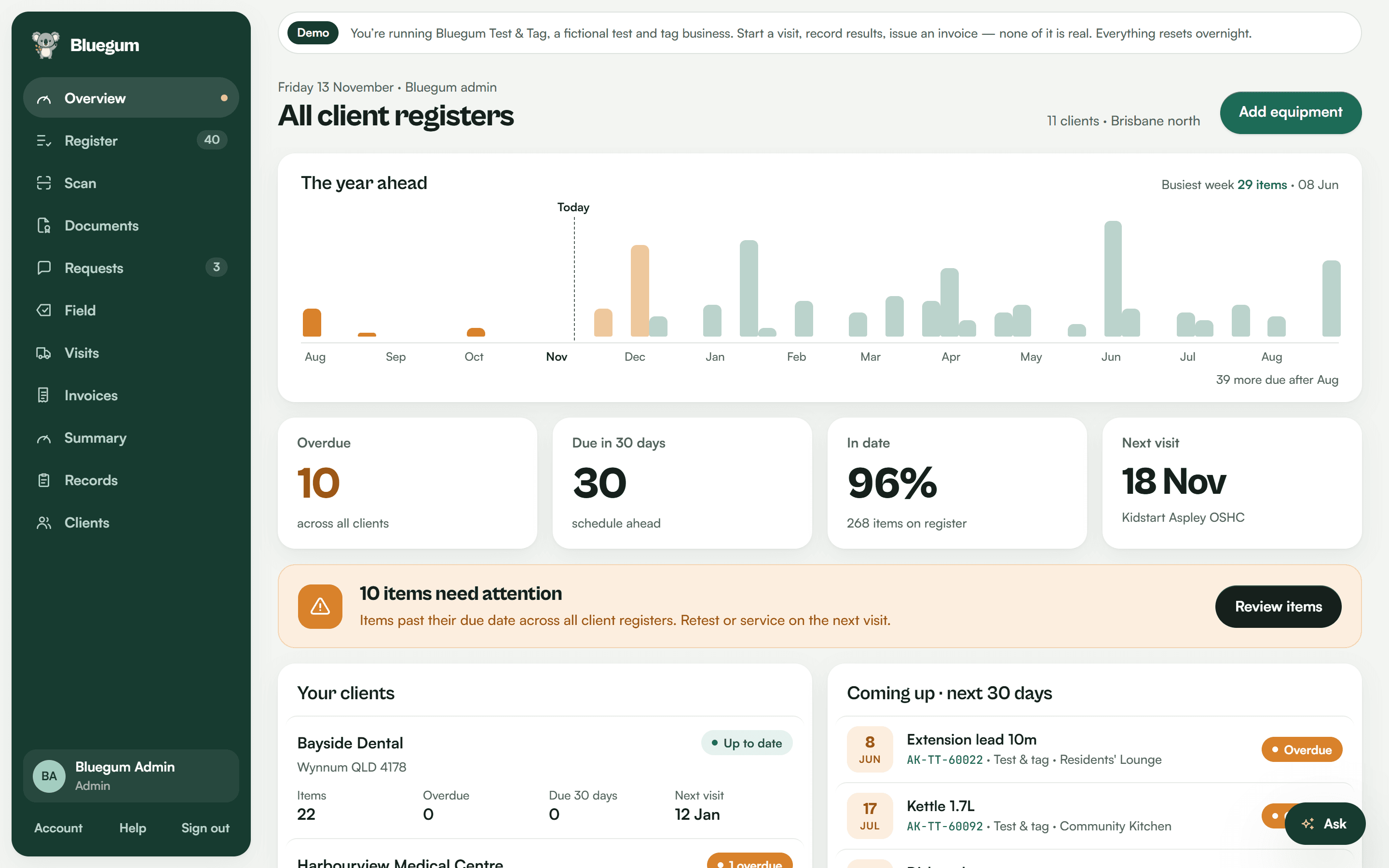
Scan the tag, record the test, print the new tag. Every result is saved on your phone and flows into the register, the certificate, the invoice and your client's portal.
Free plan with no time limit. No card needed.
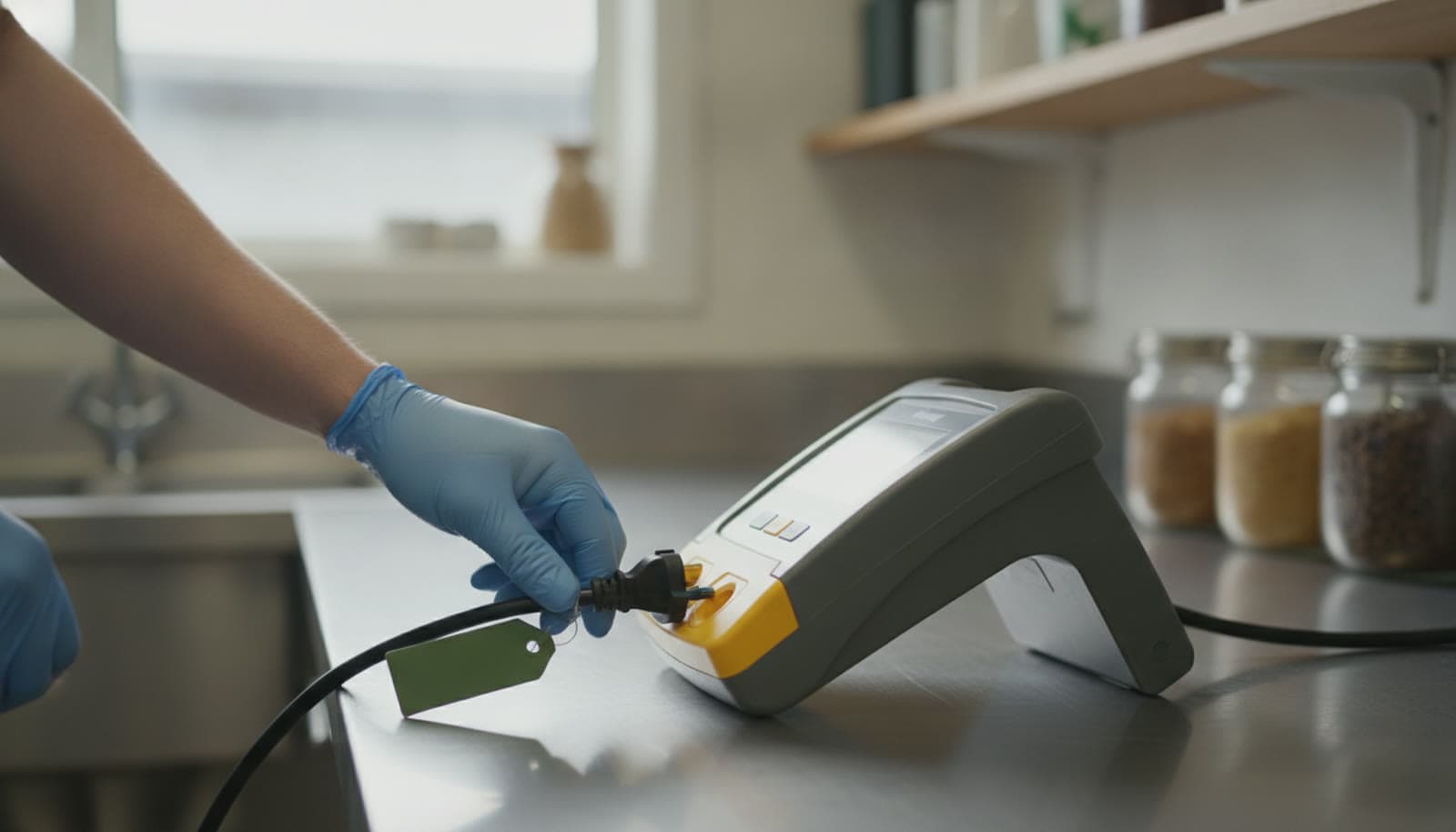
Use the tester you already own. Type or say each reading, or send us your Metrel ES Manager, WinPATS or PATGuard export and we'll load it for you, free.
Real recording: a test logged on a phone, then in date on the register.
Used by test and tag businesses across Australia and New Zealand





These are the real screens, in the order you use them on a job. Steps two to five work in a basement or plant room with no reception.
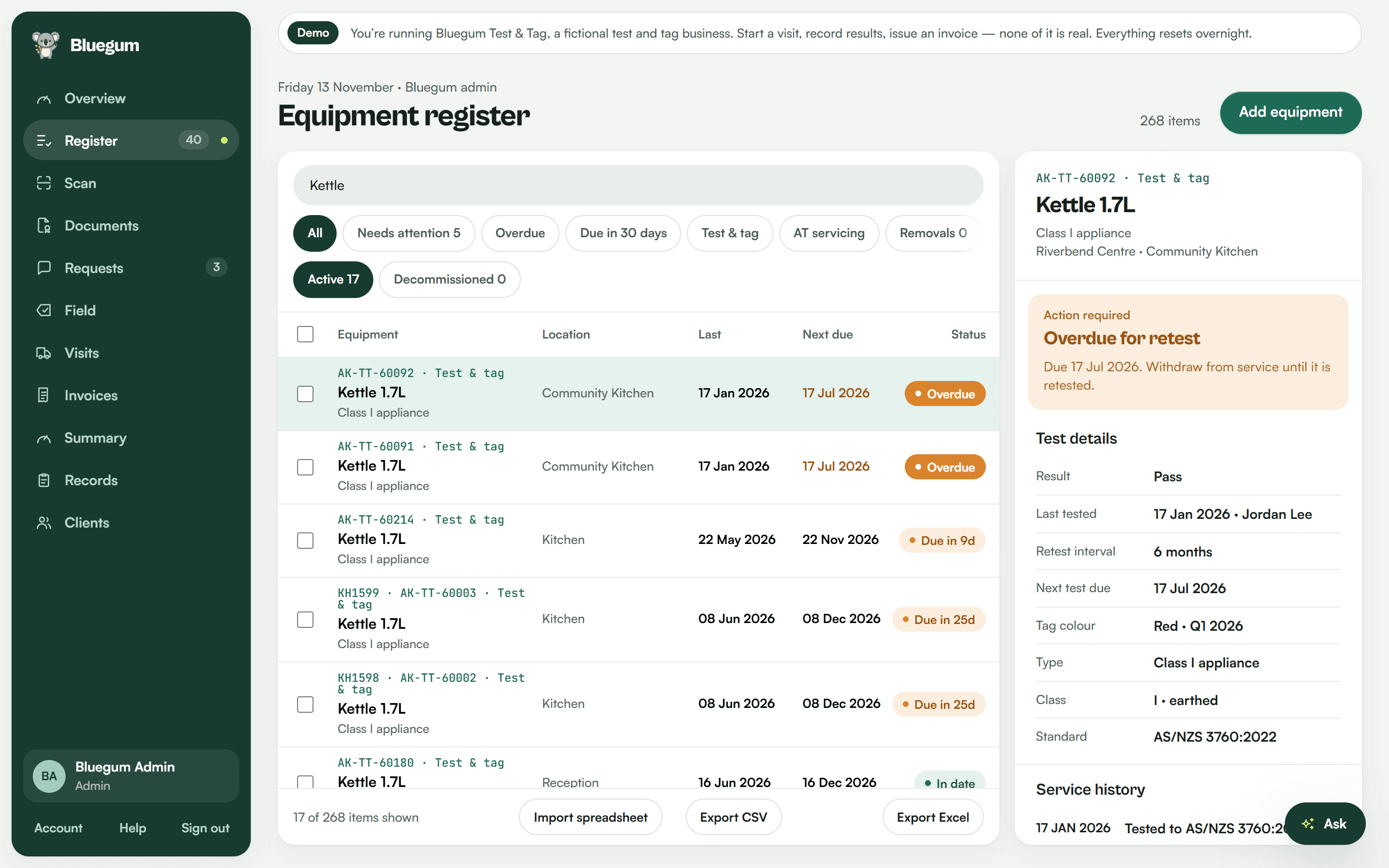
Add each client, their sites and every item, or import the spreadsheet or tester export you already have. Each item keeps its test history and its next due date.
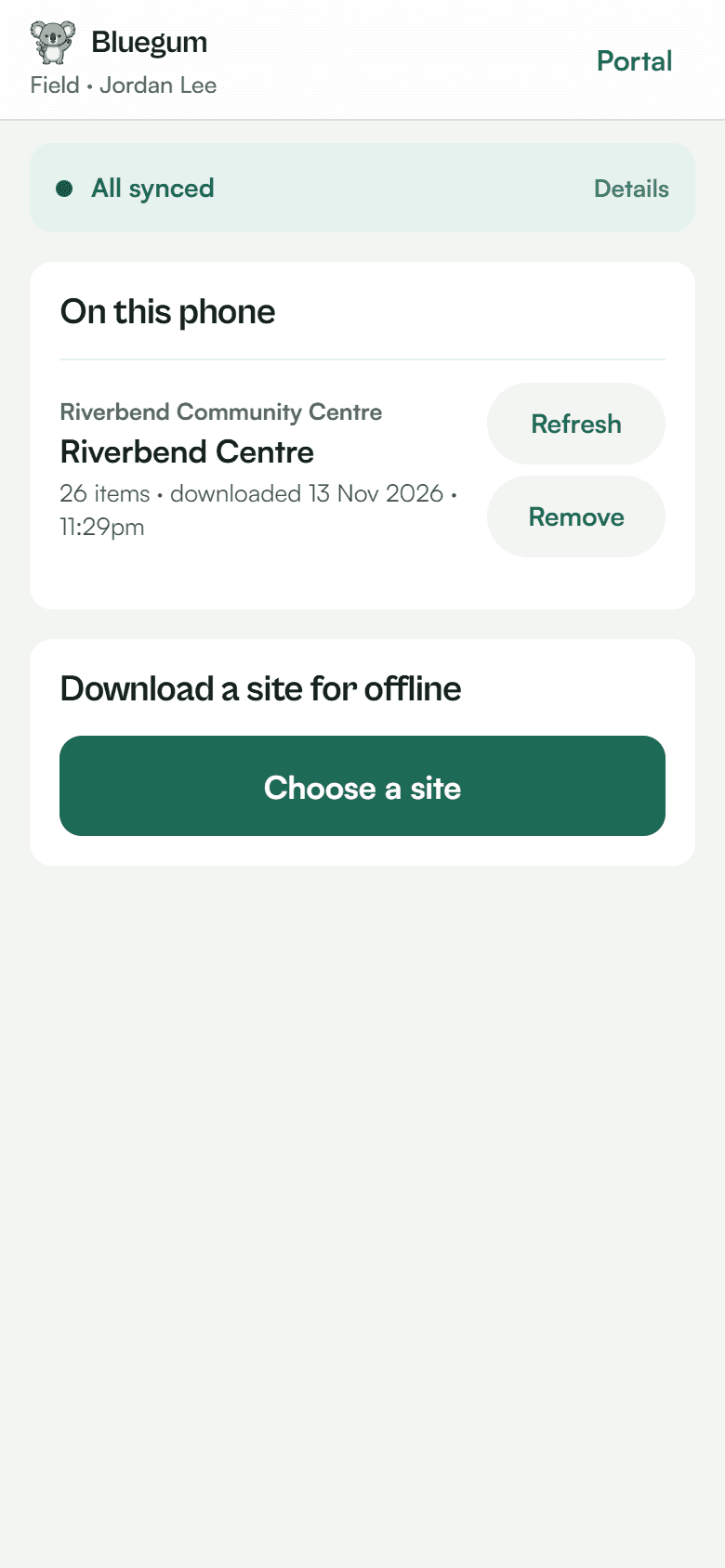
Open Field and download the site you are visiting. From then on the phone has everything it needs, so the job does not depend on reception.
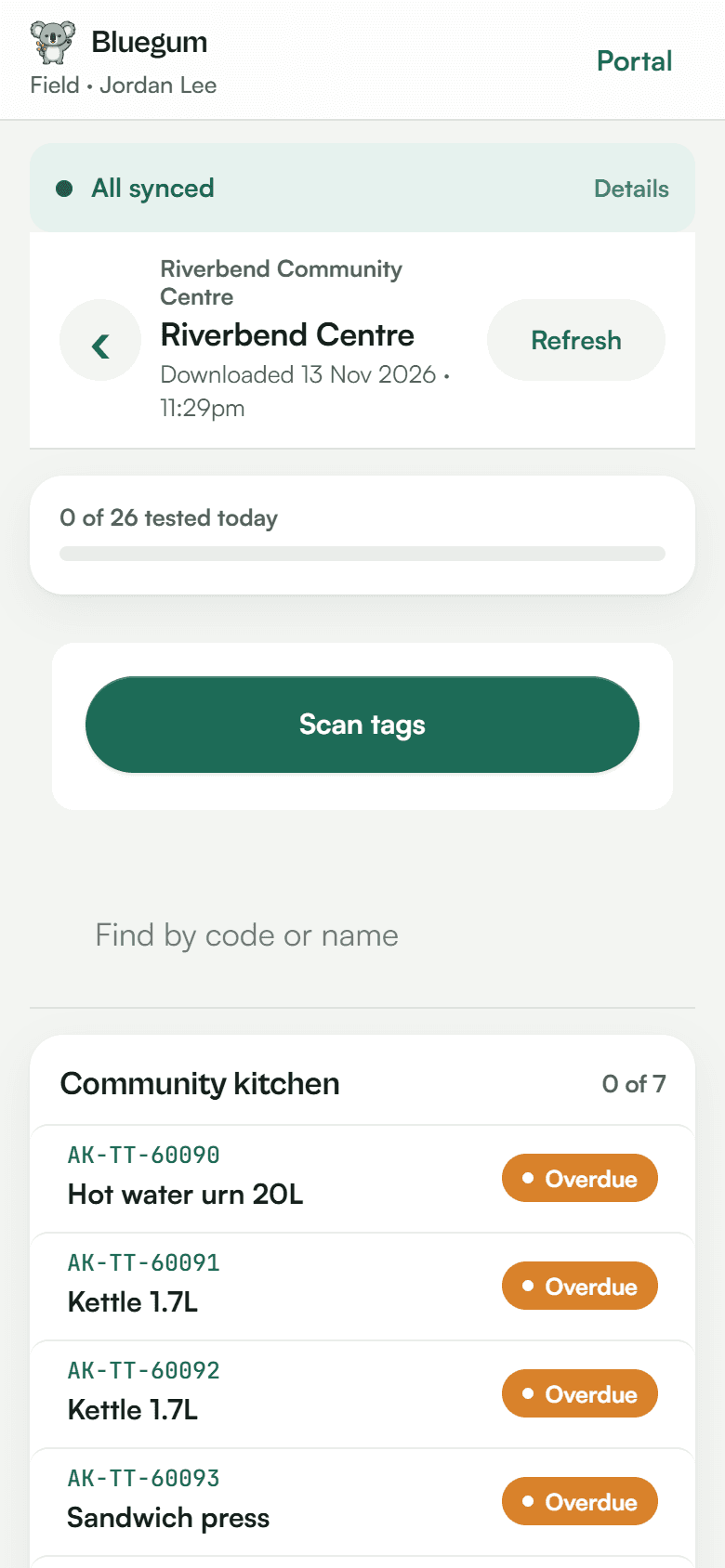
Tap Scan tags and point the camera at the tag. The item opens ready to test, with its history. Items are grouped by room, and anything overdue is marked.
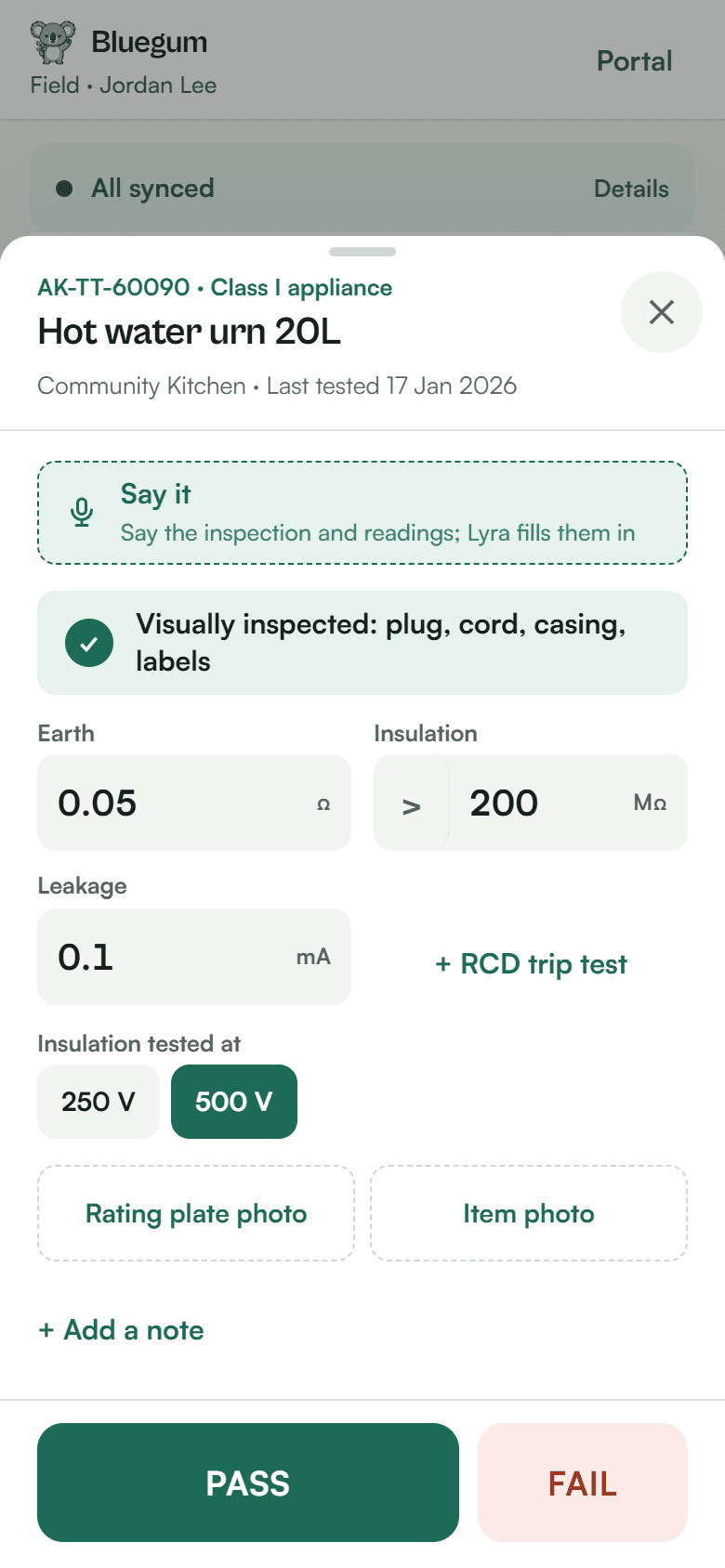
Tick the visual inspection, type the readings from your tester and tap PASS or FAIL. The result is always yours. With a signal you can tap Say it and speak the readings instead, and Lyra AI fills in the sheet for you to check.
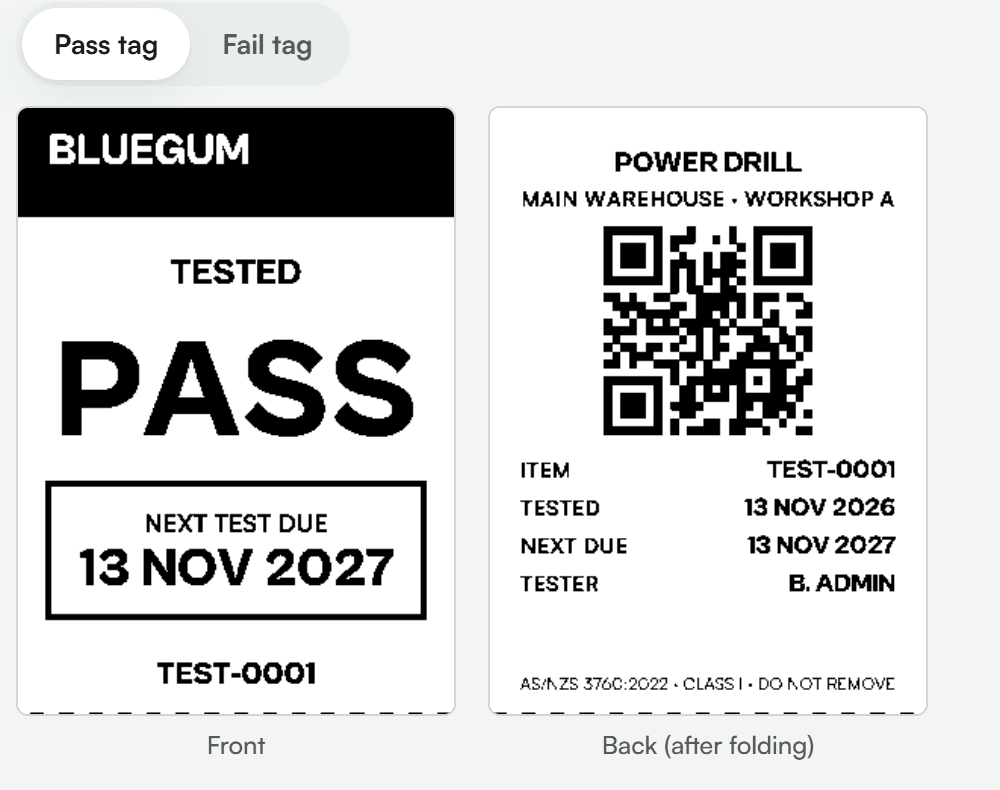
Each wrap-around tag carries the result, the next test date, your asset code and a QR code that opens the item next visit. Connect a printer and Koalaris reads its model and sets the label for you. Set up your tag printer.
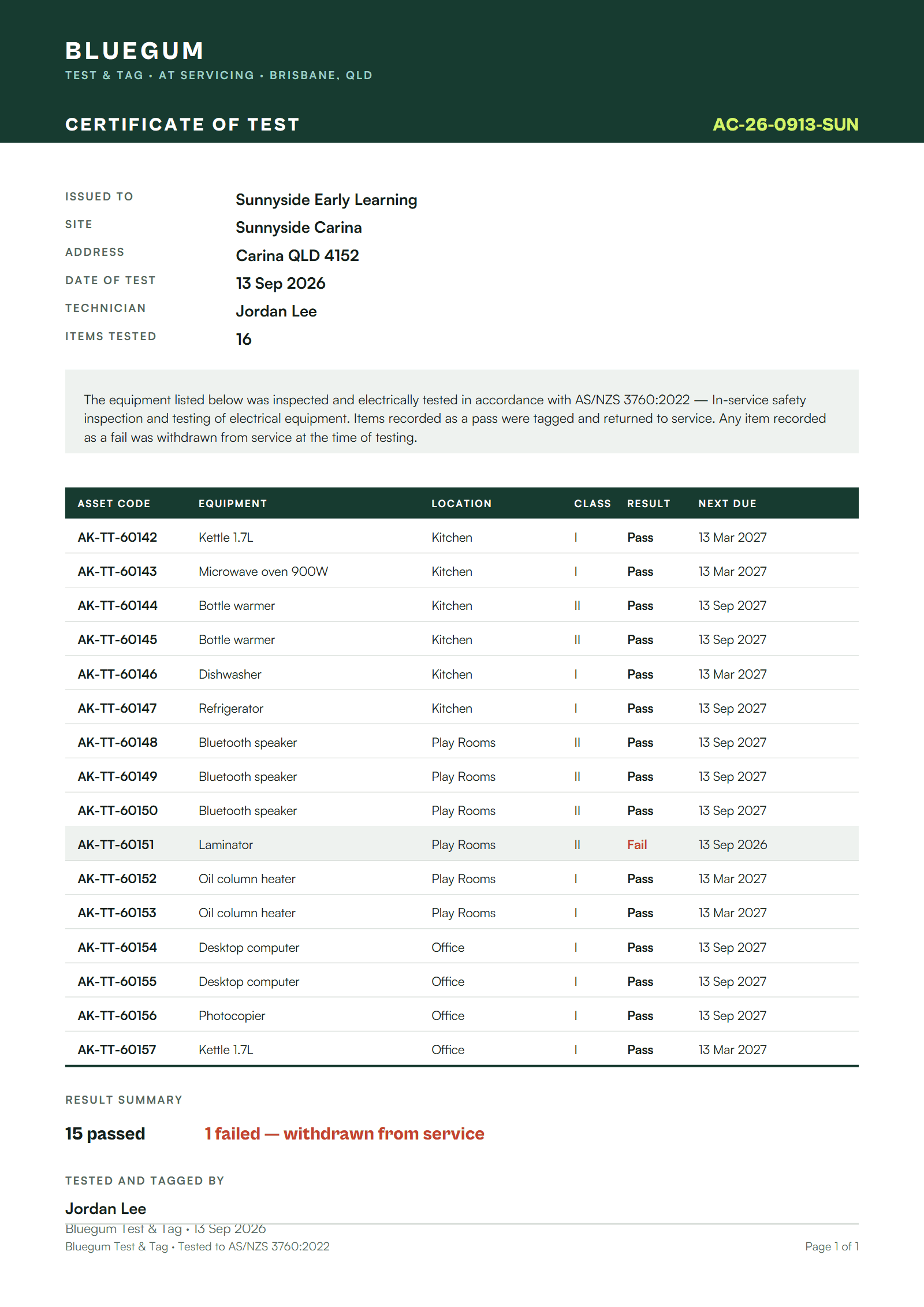
Finish the visit and the certificate of test lists every item, its result and who tested it. Nothing is retyped, so the certificate always matches the register.
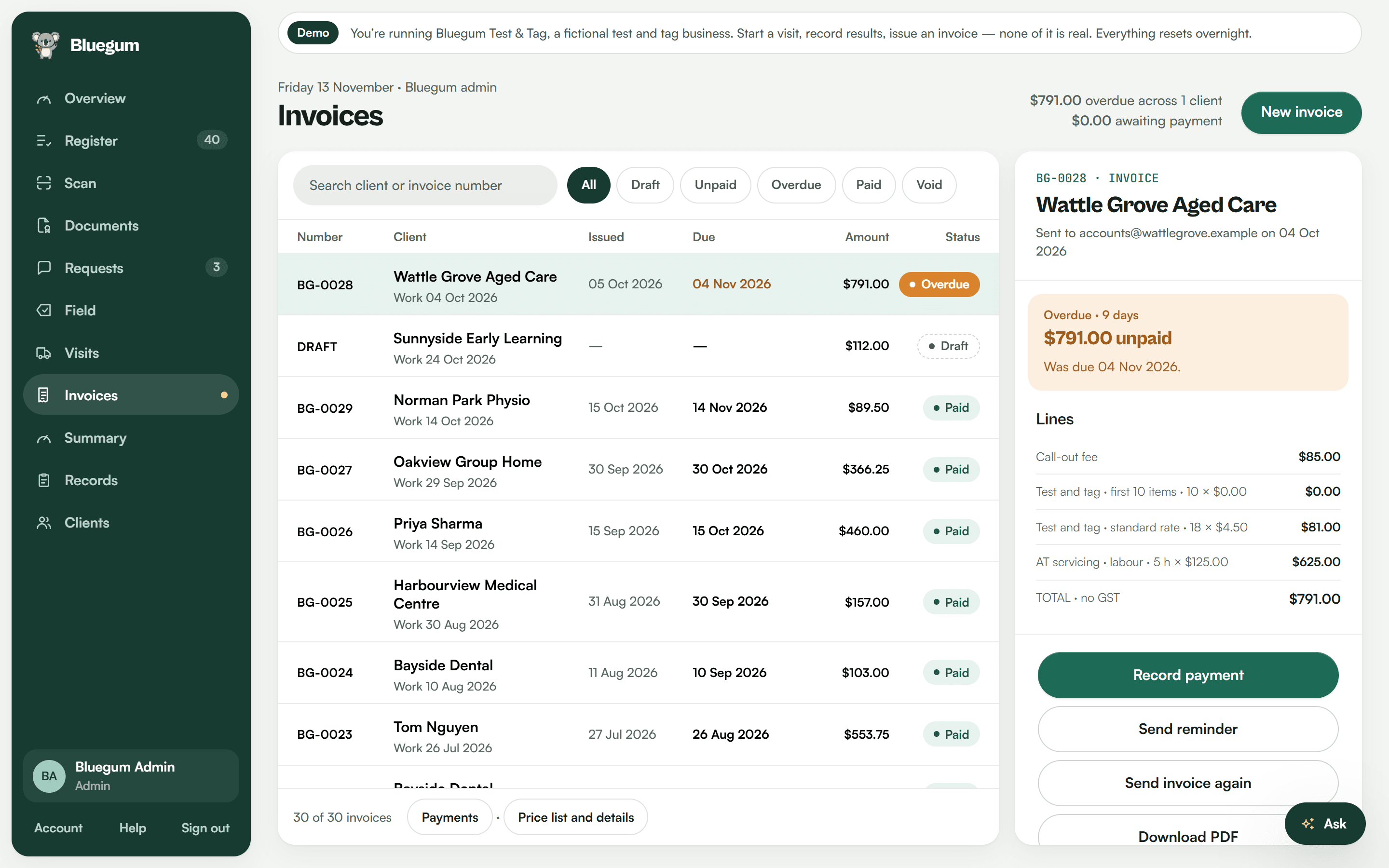
Bill the finished visit in one click, email a branded PDF and show your client a QR code to pay by card before you leave. How invoicing works.
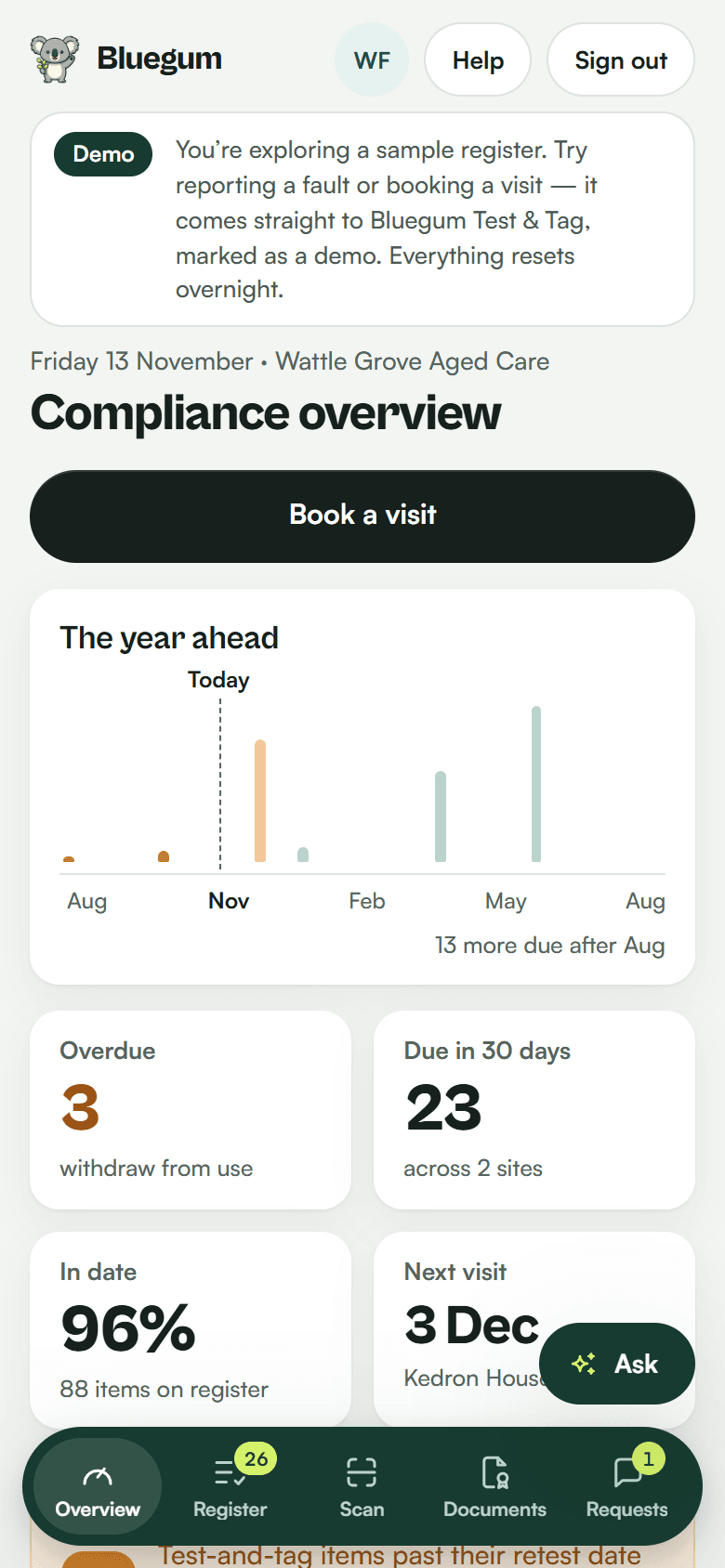
Each client gets a free, read-only login. They see what is in date, what is due and every certificate, so they stop ringing you for paperwork. See the client portal.
The testing itself never needs reception. Lyra AI and syncing do, so they wait until you are back in range.
Everything is saved on the phone first and syncs when you are back in range.
Take a rating plate photo with no signal and it waits on your phone, then Lyra AI reads it once you are back online. You can always type the details in yourself. More about Lyra AI.
Lyra never sets pass or fail. You do. Free includes 10 rating-plate scans and 20 voice tests a month, Solo 30 and 100, and Pro has no monthly count.
Each test records the item, its results, who tested it, when, and when it is next due. Each technician enters their meter once, and every certificate shows the test instrument and its calibration date. You set the re-test interval for each client's environment, and Koalaris works out every due date across your clients and sites.
Not sure of an interval? Use the test and tag interval calculator or read the test and tag frequency guide.
Designed around how technicians actually work.
“Being able to manage equipment, record test results and access previous records while out at client sites is a big advantage. I don't have to rely on spreadsheets back at the office.”
$0for as long as you like
Testing, tagging, certificates and the client portal, with no time limit.
$29AUD a month
Adds invoices, card payments by QR code and Xero sync.
$79AUD a month
5 team seats and Lyra AI with no monthly count.
Testing in New Zealand? See Koalaris for New Zealand.
Yes. Koalaris runs in the web browser on iPhone and Android phones, tablets and computers. Download a site before you go and it works with no signal.
Yes. Download the site before you go and everything you need is on your phone. Tests are saved there and sync when you are back in range.
Yes. Test with any portable appliance tester and record results in the field app. If your tester logs results, export them from its PC software (Metrel ES Manager, WinPATS, PATGuard and other popular programs) and import the file. Lyra AI reads it and loads the items, readings, results and due dates into your register. You check every match before anything is saved.
Yes. Koalaris prints wrap-around tags with each item's result, next due date, asset code and QR code, so scanning a tag opens the item's record. Print straight over Bluetooth to a Zebra ZQ520 or ZQ521 (100 × 50 mm tags) or a Godex RT200 (99 × 43 mm tags) from Chrome or Edge on Android, Windows or a Mac. Brother 36 mm tape and any other label printer work through the print dialog, including on an iPhone. When you connect, Koalaris reads the printer's model and sets the label for you, and you can preview pass and fail tags before printing.
Yes. Each technician enters their meter's brand, model, serial number and calibration due date once, under Account then Test equipment. Every test they record carries it, and certificates print it, so clients and auditors can see what the readings were taken with.
Yes. On any test-and-tag item, tap Say it and talk, for example “visual fine, earth point one, insulation over range, leakage point two”. Lyra AI ticks the inspection, fills in the readings and suggests a result against the AS/NZS 3760 limits, which you check before you tap Pass or Fail. RCD trip times work the same way: half current held, times one at 0° and 180°, and times five. It needs signal. Every notes box also has a mic for dictation, which works on every plan.
You do. Tap Pass or Fail yourself. Lyra AI prefills, drafts and can suggest a result from your spoken readings, but it never decides a test result.
Koalaris keeps the records the standard and your clients expect: each item, its test results, who tested it, when, and when it is next due. You set the re-test interval for each client's environment.
Import each client's existing spreadsheet or tester export, including files from Metrel ES Manager, WinPATS and PATGuard. Lyra AI matches the columns and loads everything into the register, and you check every match before anything is imported.
Start free, for as long as you like. No card needed.