Test tag printers compared: Zebra, Godex, Brother or pre-printed tags
Which test and tag printer suits your business? Compare the Zebra ZQ521, Godex RT200, Brother P-touch and pre-printed tags on tag size, durability and setup.
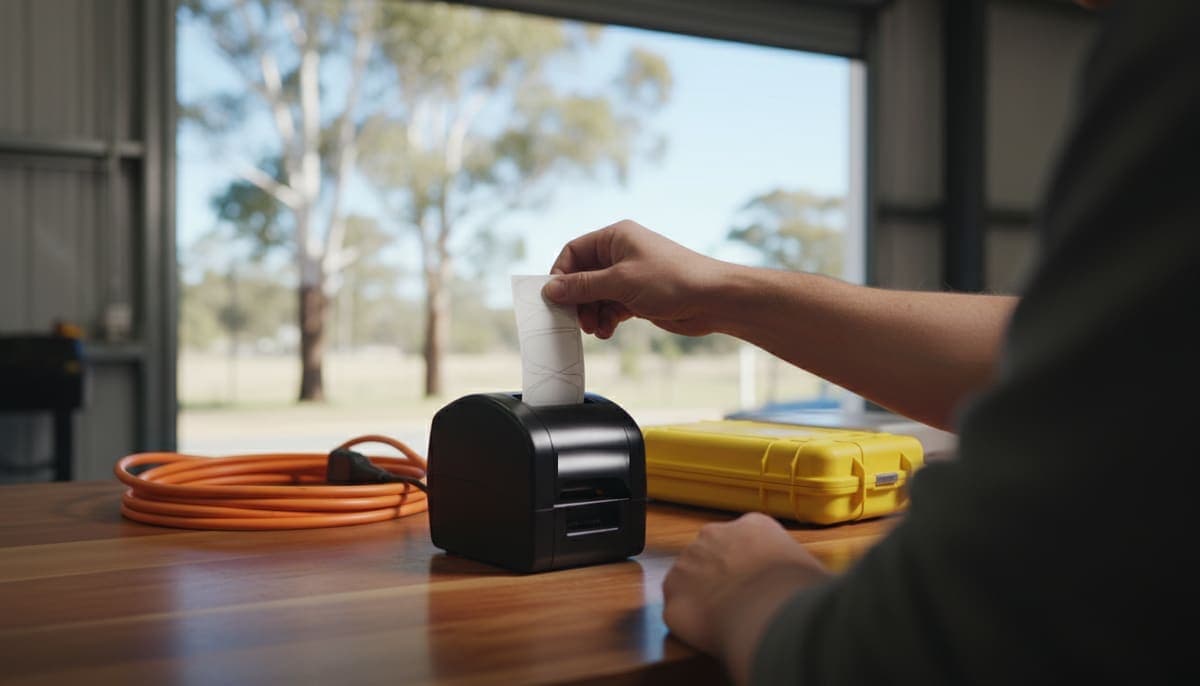
A test and tag printer prints the tag you wrap around each lead: who tested it, when, the result and the next due date. Most Australian operators end up with one of three kinds:
- A rugged mobile printer such as the Zebra ZQ521, which clips to your belt and prints wrap-around tags over Bluetooth.
- A compact desktop printer such as the Godex RT200, which sits in the van or on a bench and can print with a ribbon.
- A tape labeller such as a Brother P-touch, which prints laminated labels and is often already in the toolbox.
The fourth option is not to print at all: pre-printed tags you fill in by hand. Plenty of people start there.
There's no single best test and tag printer. The right one depends on how many items you tag a day, whether you work from a phone or a laptop, and which printers your software can talk to. This guide compares the options on the things that matter on site, using each maker's own specifications.
Do you need a printer at all?
No. The law doesn't require a printed tag. In NSW, for example, the test record must show who did the test, the date, the outcome and the next due date, and the record can be a tag. SafeWork NSW's code of practice on managing electrical risks says a tag should be durable, water resistant, non-metallic, self-adhesive or well secured, not reusable and brightly coloured. A handwritten tag can meet that. (Our NSW requirements guide covers the rules in full, and Queensland sets its own "prescribed details" for tags.)
So a printer is a speed and quality decision, not a compliance one. It's worth buying when:
- Handwriting is slowing you down. Writing four details on every tag adds up across a few hundred items a day.
- Clients complain they can't read tags. Smudged pen on a greasy lead isn't a good look.
- Your tag and your register need to match. A printed tag carries the same asset ID and dates as the record, so nothing gets copied wrong.
If you're just starting out, our guide on how to start a test and tag business suggests beginning with write-on tags and adding a printer once the work justifies it.
The options at a glance
| Zebra ZQ521 | Godex RT200 | Brother PT-P950NW | Pre-printed tags | |
|---|---|---|---|---|
| Type | Mobile, battery, belt clip | Compact desktop | Desktop tape labeller | None |
| Print method | Direct thermal | Thermal transfer or direct thermal | Laminated tape | Pen |
| Resolution | 203 dpi | 203 dpi (300 dpi on the RT230) | 360 dpi | n/a |
| Widest print | 104 mm | 54 mm | 36 mm tape | n/a |
| Connection | Bluetooth 4.x, optional Wi-Fi | USB, serial and Ethernet as standard | USB, wired and wireless network, optional Bluetooth | n/a |
| Best for | All-day tagging on the move | Van or bench setups, longer-lasting print | Operators who already own one | Starting out, low volume |
Specifications are from the Zebra ZQ521 page, the GoDEX RT200 page and Brother Australia's PT-P950NW page, checked in October 2026. Models change, so confirm the current specs before you buy.
Zebra ZQ521 (and the older ZQ520)
The Zebra ZQ520 and ZQ521 are supported by more than one test and tag app, including SwiftPAT and Koalaris. The ZQ521 is a 4-inch mobile printer built for working on your feet. Zebra lists the ZQ521 at 203 dpi direct thermal, up to 127 mm a second, with IP54 protection, MIL-STD 810G drop and shock certification, and a removable 3250 mAh battery with an optional extended battery. It connects over Bluetooth, with a Wi-Fi option.
Why operators like it: it rides on your belt, so you tag the item as you test it instead of walking back to the van. A wrap-around flag tag folds around the cord and sticks to itself.
What to watch:
- Direct thermal print uses heat-sensitive labels with no ribbon. That keeps it simple, but heat-sensitive labels can darken or fade with heat and sun over time. Ask your tag supplier how their labels hold up on equipment that lives outdoors or in a hot ute.
- Price. It's a professional printer, so it costs more than a tape labeller. Get quotes from a couple of suppliers.
Godex RT200
The GoDEX RT200 is a small desktop barcode printer. GoDEX lists it with a 54 mm print width at 203 dpi, up to 127 mm a second, and both thermal transfer and direct thermal printing. Its sibling, the RT230, prints at 300 dpi.
Why operators like it: thermal transfer prints through a ribbon, which generally gives a more durable print than direct thermal, and the printer is compact enough to sit in a van.
What to watch:
- It isn't a belt printer. It needs a flat surface and power, so you'll batch your tags rather than print each one at the item.
- Bluetooth isn't standard. GoDEX lists USB, RS-232 serial and Ethernet as the standard ports. If you want to print from a phone or tablet, check that the unit you're buying comes with a Bluetooth module or adapter fitted. Don't assume it has one.
Brother P-touch tape labellers
Brother's P-touch range prints on laminated TZe tape. Brother Australia describes the PT-P950NW as printing "durable laminated labels up to 36mm in width", with USB, wired and wireless connectivity and an optional Bluetooth interface.
Why operators like it: a lot of electricians already own a P-touch. Laminated tape stands up well to handling, and the tape comes in many colours.
What to watch:
- It's a label, not a wrap-around tag. You'll fold the tape around the lead so it sticks to itself, and the narrower tape gives you less room for text, so keep the layout simple.
- Tape cost per tag. Laminated tape usually costs more per tag than a roll of thermal flag labels. Work out the cost per item at your volume.
Pre-printed tags
Pre-printed tags come on rolls with the boxes already printed, often in a colour for each testing period. You write the details in by hand. Colour coding by period is optional in NSW, but many clients like it because they can spot an overdue item from across the room.
Why operators like them: no printer to buy, charge or carry, and nothing to go wrong.
What to watch: handwriting time, legibility, and the chance of a typo between the tag and your records. Once you're tagging a few hundred items a day, a printer usually pays its way in time saved. It's the same business case as pricing your test and tag work: the more items you clear per hour, the better each job pays.
How to choose: five questions
- How many items do you tag a day? A few dozen: pre-printed tags or a labeller is fine. Hundreds: a belt printer saves the most time.
- Do you print at the item or in batches? At the item points to a mobile printer. Batches at the van suit a desktop printer.
- Phone, tablet or laptop? Printing straight from a phone needs Bluetooth and software that speaks the printer's language. A laptop can usually print to anything with a driver.
- Where does the equipment live? Outdoor, hot or greasy environments are hard on labels. Ask suppliers about label durability before you buy a year's worth of rolls.
- Does your software support it? This is the one people skip. A printer your software can't drive means retyping every tag. Our buyer's checklist for test and tag software puts this question near the top.
Printing tags from Koalaris
Koalaris prints tags straight to a Zebra ZQ520 or ZQ521 (100 × 50 mm tags) or a Godex RT200 (99 × 43 mm tags) over Bluetooth, from Chrome or Edge on Android, Windows or a Mac. A Brother or any other label printer works through the device's print dialog. Every plan, including Free, prints tags straight away, with no waiting. See how tagging fits into a site visit on our test and tag app page.
If you already own a printer, start on the Free plan with no card and print a few tags before you change anything else.
FAQ
What is the best printer for test and tag?
There isn't one best printer. A rugged mobile printer like the Zebra ZQ521 suits all-day tagging on the move. A compact desktop printer like the Godex RT200 suits batch printing in the van. A Brother P-touch suits operators who already own one. Pick the one your software supports.
Can I use any label printer for test and tags?
You can print to most label printers from a computer through the print dialog, as long as the label is durable enough for a tag. Printing straight from a phone over Bluetooth only works with printers your software specifically supports.
Do test and tag labels have to be printed?
No. A handwritten tag is fine if it's durable and shows the details your state requires. In NSW, that's who did the test, the date, the outcome and the next due date.
Can I print test tags from an iPhone?
Not over Bluetooth from a web app: iPhone browsers don't support the Bluetooth printing that Chrome and Edge use on Android and computers. On an iPhone, Koalaris prints through the print dialog to a printer the phone can reach.
General information only, not legal advice. Check the current edition of AS/NZS 3760 and your state or territory regulator for what your tags must show. Printer specifications are from the manufacturers' websites in October 2026 and may change.

Mohammed spent seven years in equipment maintenance, electrical safety testing and medical equipment servicing before building Koalaris. He holds a Test & Tag qualification and a Queensland Restricted Electrical Licence.
Keep reading
 Guides
Cloud vs desktop test and tag software: which suits your business?
Cloud or desktop test and tag software? Compare backups, offline use, team access, client portals and three-year cost, and see when desktop still makes sense.
 Compliance
Test and tag requirements in Victoria: what WorkSafe expects
Is test and tag mandatory in Victoria? The OHS Act duty, WorkSafe's RCD timeframes, construction site rules, who can test and what records to keep.
 Guides
Test and tag records: what the law requires and what to keep
What test and tag records the WHS laws require, how long to keep them, when a tag is enough, and what a register should hold, with state differences explained.
See your register the way Lyra sees it.
Start free, for as long as you like. No card needed.