How to choose test and tag software: a buyer's checklist
A practical checklist for choosing test and tag software in Australia: offline use, records, imports, tags, invoicing, client access, exports and total cost.
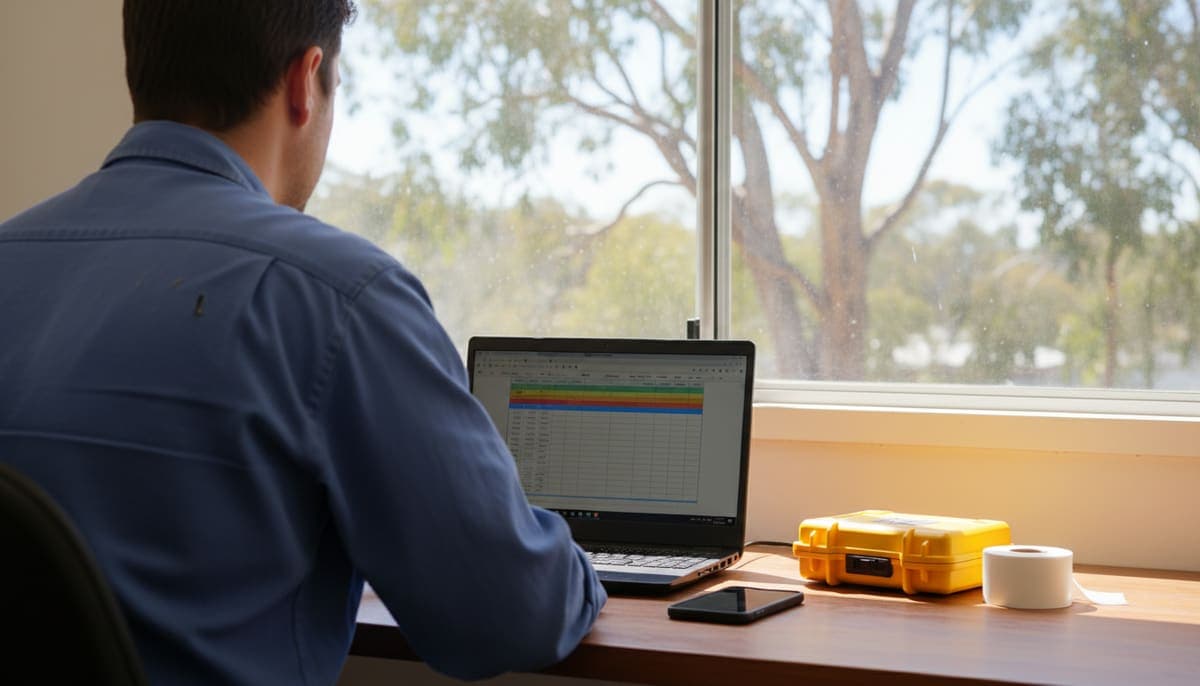
The best test and tag software is the one that fits how your business runs, not the one that came in the box with your tester. Before you choose, check eight things:
- It works on site with no signal.
- It keeps a complete record for every item, client and site.
- It imports your existing records without retyping.
- It prints tags on a printer you can actually buy.
- It turns a visit into a certificate and an invoice.
- Your clients can see their own records.
- You can get all your data out again.
- The total cost still makes sense once you add a second tester.
Most comparisons online are written by tester retailers and group software by the tester it pairs with. This guide groups the questions by the stage your business is at instead, so you can skip what doesn't apply to you yet.
I built Koalaris, which is one of the options you'll be weighing up, so read this with that in mind. Every question below is one worth asking of any vendor, including us.
The three kinds of test and tag software
It helps to know what you're comparing, because the tools aren't all trying to do the same job.
| Type | What it's built for | Usually suits |
|---|---|---|
| Tester software (desktop or app supplied for a brand of tester) | Downloading results from that tester, keeping a register, printing reports | Operators who test mostly with one brand and do admin at a PC |
| Phone tagging apps | Recording results and printing tags quickly on one device | Solo testers who want speed and low cost |
| Business platforms (cloud) | The register plus visits, team, client access and invoicing | Businesses with several clients, a second tester or office help |
None of these is wrong. A solo tester with a handful of clients can run well on a phone app. The trouble starts when a business outgrows its tool and the records are stuck inside it. That's why the checklist below leans hard on imports and exports.
The buyer's checklist
1. Does it work with no signal?
Plant rooms, basements, warehouses and rural sites often have no mobile coverage. Ask:
- Can you record a full test (readings, result, photos, next due date) with no connection?
- Do you need to prepare anything before you leave, such as downloading the site?
- What happens if two people edit the same item while offline?
Test this yourself in flight mode during the trial. Don't take "works offline" on trust.
2. Does the record hold everything you need?
Your register is what your client is really paying for. As one example of what regulators expect, SafeWork NSW says a test record must show who did the test, the date, the outcome and when the next test is due.
A useful register holds more than that minimum for each item:
- client, site and location
- an asset ID that matches the tag
- description, equipment class and, ideally, make, model and serial
- the readings, not only pass or fail
- the next due date and the interval it came from
- for failures, what happened to the item
Check that every past test stays in the item's history and doesn't get overwritten by the latest one.
3. Can you bring your existing records across?
If you've been testing for a while, your history matters more than any feature. Ask the vendor:
- Which file types it imports (.csv, .xlsx, .xls) and whether it reads exports from tester software such as PATGuard, Metrel ES Manager or WinPATS.
- Whether you have to rename columns or reformat the file first.
- Whether you can check the result before anything is saved.
Then try it with your own file, not their sample. If you're coming off a spreadsheet, our guide to moving a test and tag register off spreadsheets covers how to prepare it.
4. Will it print on a printer you can buy?
Tags are where software meets the real world. Ask which printers it supports, how it connects (Bluetooth from the phone, or through a computer's print dialog), what tag sizes it prints, and whether it works from an iPhone as well as Android. If you already own a printer, make sure it's on the list before you commit.
5. Does a visit turn into a certificate and an invoice?
This is the biggest difference between software that records tests and software that runs a business. Look for:
- certificates or reports produced from the results, not typed up again
- invoices built from the items you tested, using your own price list
- a way for small clients to pay on the day
- a connection to your accounting software if you use one
If invoicing lives in another program, count the time you spend copying item counts between them each week.
6. Can your clients see their own records?
Facility managers, schools and builders get asked for evidence by auditors and insurers. If the only way they can get it is by emailing you, every request becomes your admin. Ask whether clients get their own login, what they can see, whether it costs extra per client, and whether they can see your pricing (they shouldn't).
7. Can you get your data out, completely?
This is the question most buyers forget, and it's the one that matters when you change your mind. Ask:
- Can you export the whole register to CSV or Excel at any time, without asking support?
- Does the export include test history and readings, or only the latest result?
- What happens to your records if you stop paying? Are they deleted, locked, or still readable?
- Where is the data stored? For Australian businesses, data hosted in Australia is worth asking about.
Keep in mind that your invoices and payment records are business records for tax. The ATO says most business records must be kept for five years, so you need a way to keep them even after you switch software.
8. What's the real cost over three years?
Compare total cost, not the headline price:
- Licence model. One-off purchase, yearly fee or monthly subscription.
- Per-user costs. What does a second or third tester cost?
- Per-item or per-asset charges. These grow as your client base grows.
- Extras. Client access, printing, accounting sync, support and upgrades.
- Your time. Hours a week spent retyping results, building invoices and answering record requests are a cost too.
Write down what each option costs for you today, and what it would cost with one more tester and twice as many clients. The cheapest tool for a solo tester is often not the cheapest for a crew of three.
Which questions matter most at your stage
| Your business | Focus on | Can wait |
|---|---|---|
| Just starting, solo | Offline use (1), a complete record (2), printing (4), low monthly cost | Team seats, accounting sync |
| Established solo with steady clients | Invoicing on site (5), client access (6), rebooking by due date, import of your history (3) | Multi-user permissions |
| Adding a second tester or office help | Shared register in real time, per-user cost (8), who can see what | — |
| Switching from older software | Import (3) and export (7) above everything else | New features you won't use in the first month |
If you're at the very start, our guide to starting a test and tag business covers the steps around the software too: training, licences, insurance and pricing.
How to run a fair trial
- Use your real data. Import one actual client's records, not the demo account.
- Do a real job. Test a small site in the trial, in flight mode for part of it.
- Print real tags on the printer you'll use.
- Produce the paperwork. Make the certificate and the invoice, and look at them the way your client would.
- Export everything. Before the trial ends, export the register and open it in Excel. If that's hard now, it'll be harder later.
- Ask support a question. How fast and how useful the answer is tells you a lot.
Red flags
- No way to export your full register yourself.
- Records deleted soon after a subscription lapses.
- "Works offline" that turns out to mean read-only offline.
- A price that's only shown after a sales call, when you're a one- or two-person business.
- Software that decides pass or fail for you. A competent person sets the result.
Where Koalaris fits
Koalaris is a cloud business platform, the third type in the table above. Here's how it answers the checklist, using only what's on our pricing and FAQ pages:
- Offline: the field app runs on your phone with no signal and syncs when you're back in range.
- Imports: .xlsx, .xls or .csv files, including exports from Metrel ES Manager, WinPATS and PATGuard. Lyra AI matches the columns and you review every match before anything is imported.
- Printing: straight to a Zebra ZQ520 or ZQ521 or a Godex RT200 over Bluetooth, and to a Brother or any other label printer through the print dialog.
- Visit to invoice: certificates, invoices, card payments by QR code into your own Stripe account, and Xero sync.
- Clients: a free client portal on every plan. Clients see their register, history and certificates, never your prices or invoices.
- Your data: hosted in Sydney, and you can export your register to CSV at any time. If a trial ends without a plan, your records stay safe and read-only.
- Cost: Solo is $29 a month with 1 team seat, Pro $79 with 5 seats, and Business $199 with 15 seats. Every plan has unlimited clients and sites.
What it isn't: it doesn't download results from a tester over a cable. You record results in the field app or import your tester's export file. If direct download is essential to how you work, weigh that up.
There's a 14-day free trial of Pro with no card needed, so you can run the six-step trial above on your own records. See the test and tag app for what it looks like on site.
Already comparing specific products? We've written up moving off PATGuard and when a team outgrows SwiftPAT.
Frequently asked questions
What is the best test and tag software in Australia?
There isn't one best for everyone. A solo tester who wants quick tagging on one phone needs something different from a business with three testers and forty clients. Use the checklist above and trial your shortlist with your own records.
Is free test and tag software good enough?
It can be when you're starting out with a few clients. Check what you can export, how backups work and what it will cost to move your records later if you outgrow it.
Do I need software that connects to my tester?
Not necessarily. Some operators prefer to download results from the tester, others enter results on a phone as they go or import the tester's export file. Choose based on how you actually work on site.
Does test and tag software make me compliant with AS/NZS 3760?
No software makes you compliant on its own. Compliance comes from a competent person testing correctly at suitable intervals and keeping proper records. Good software makes the records complete and easy to find. For intervals, see our test and tag frequency guide.
Can I change test and tag software later?
Yes, if your current software lets you export your register. That's why exports belong on your checklist from day one.
General information only, not legal or compliance advice. Check the current edition of AS/NZS 3760 and your state or territory regulator for the requirements that apply to you. Product details for Koalaris are as of October 2026.

Mohammed spent seven years in equipment maintenance, electrical safety testing and medical equipment servicing before building Koalaris. He holds a Test & Tag qualification and a Queensland Restricted Electrical Licence.
Keep reading
 Compliance
Test and tag requirements in Queensland: what the 2026 Regulation says
Who must test and tag in QLD, legal maximum intervals by type of work, what a tag must show, and licence rules under the Electrical Safety Regulation 2026.
 Guides
How to start a test and tag business in Australia
Training, licences, ABN and GST, insurance, equipment costs, pricing, records and finding clients: a practical guide to starting a test and tag business.
 How-to
Outgrowing SwiftPAT? When a test and tag business needs more than a phone app
SwiftPAT is a quick, low-cost Android app for solo testers. When you add staff, clients or invoicing, here's what changes and how to bring your records across.
See your register the way Lyra sees it.
Start a 14-day free trial of Pro. No card needed.