Cloud vs desktop test and tag software: which suits your business?
Cloud or desktop test and tag software? Compare backups, offline use, team access, client portals and three-year cost, and see when desktop still makes sense.
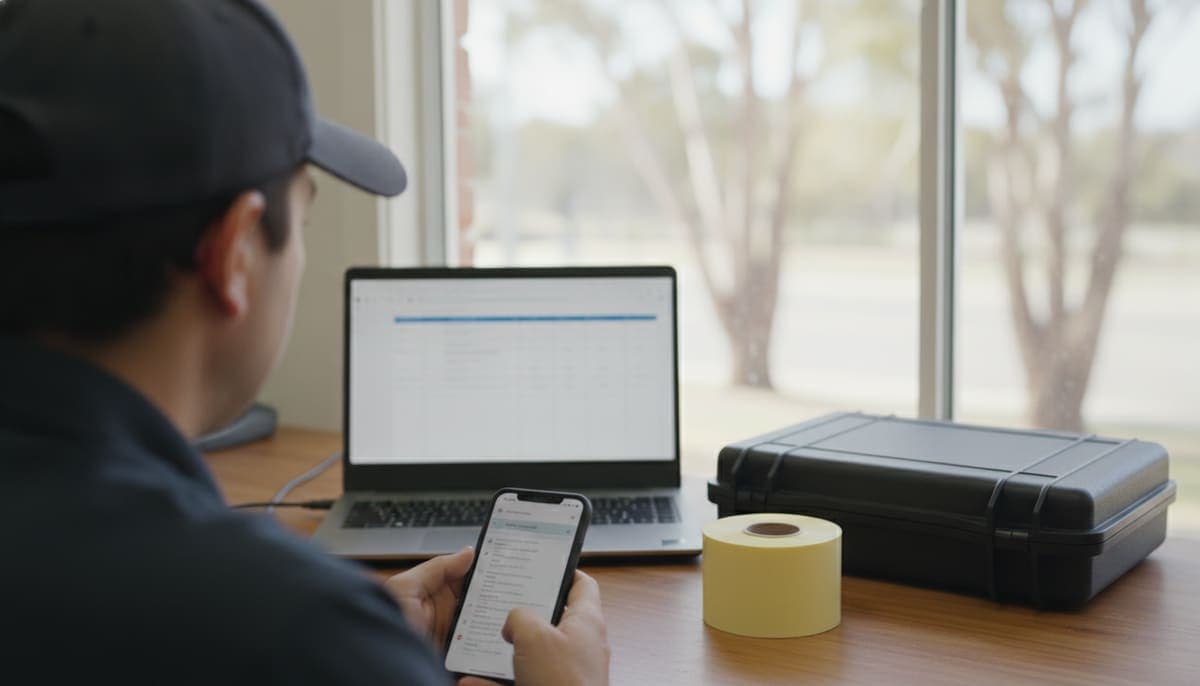
Cloud test and tag software keeps your register online, so you can reach it from a phone on site, a laptop at home or a second tester's device, and the vendor looks after the server. Desktop software keeps the register in a database on one computer that you install, update and back up yourself.
For most test and tag businesses with more than one device, more than one person or clients who want their own records, cloud is the better fit. Desktop still makes sense for a solo tester who does all the admin at one PC, already has a backup routine they trust and is happy with the software they own.
The real decision comes down to five things: where the data lives and who backs it up, whether it works without signal, how many people need it, whether clients need access, and what it costs over three years.
I built Koalaris, which is cloud software, so read this with that in mind. The questions below are worth asking of any product, cloud or desktop, including ours.
What "cloud" and "desktop" actually mean
Desktop software is installed on a Windows computer. The register is a database file on that computer, or on a server in your office. Results usually get there by downloading from the tester or by typing them in back at the desk.
Cloud software runs on the vendor's servers. You use it through a web browser or an app, on whatever device you have with you. The register is stored centrally and every device sees the same version.
There's a middle ground too. Some cloud tools have a field app that saves results on the phone when there's no signal and syncs later. Others need a live connection for everything. "Cloud" alone doesn't tell you which, so ask.
The comparison at a glance
| Question | Desktop | Cloud |
|---|---|---|
| Where is the register? | On one computer or office server | On the vendor's servers, reached from any device |
| Who backs it up? | You | The vendor, but ask how and how often |
| Works with no signal? | Yes, at the computer it's installed on | Depends on the product: some have an offline field app, some need a connection |
| Second tester or office help | Extra licences, and sharing one database is awkward | Each person logs in to the same register |
| Client access | Usually you export and email reports | Some products include a client login |
| Updates | You install them, and the PC's Windows version matters | The vendor updates it for everyone |
| Cost pattern | Often a one-off licence plus upgrades and a PC | A monthly or yearly subscription |
Backups: the question most testers skip
Your register is the evidence your clients pay for. If it lives on one laptop, a theft, a dead hard drive or ransomware can take years of history with it.
The Australian Cyber Security Centre's small business cyber security guide says backing up important information should be a regular or automatic practice, and that without a regular backup it could be impossible to recover after a cyber attack. The same guide describes a business whose backup drive was plugged into the infected computer and was encrypted along with everything else.
If you run desktop software, you need a routine that actually works:
- back up the database on a schedule, not when you remember
- keep at least one copy that isn't plugged into the computer
- test a restore now and then, so you know the backup opens
With cloud software, the vendor runs the servers, but don't assume. Ask where the data is hosted, how often it's backed up, and whether you can export the whole register yourself. An export you control is your own backup, whatever the vendor does.
Working with no signal
This is where desktop has a genuine edge, and where cloud products differ most.
Desktop software doesn't care about mobile coverage, because it's on the computer. The catch is that the computer is usually back at the office, so results get written down or stored in the tester and entered later.
Cloud products split into two groups:
- Online only. You need a connection to record or look anything up. Emona, an Australian Seaward distributor, says in its PATGuard 3 to PATGuard Cloud guide that PATGuard Cloud needs an internet connection because it's fully cloud-hosted.
- Offline field app. Results are saved on the phone with no signal and sync when you're back in range.
Plant rooms, basements, steel-framed warehouses and rural sites are exactly where you'll lose signal. If a product says it works offline, test it in flight mode during the trial: record a full test, add a photo, then reconnect and check the result arrived.
A second tester, office help and your clients
Desktop software was built around one person at one computer. That's fine until someone else needs the register: a second tester on another site, a partner doing the invoicing at home, or a client's facilities manager who wants proof before an audit.
With desktop, sharing usually means extra licences, a shared office server, or emailing exports around. Exports go stale the day after you send them.
With cloud, each person logs in to the same register and sees changes as they sync. Check how the vendor charges for it, though. Seaward's PATGuard Cloud FAQ says each individual user needs a subscription. Other products include a set number of seats in each plan.
Client access is the other big difference. A client login lets a school or builder see their own register and certificates without emailing you. If a product offers it, check whether it costs extra per client and make sure clients can't see your prices.
Updates and the computer underneath
Desktop software depends on the computer it runs on. Microsoft ended support for Windows 10 on 14 October 2025, which means no more regular security updates for those PCs unless they're enrolled in paid Extended Security Updates, according to Microsoft's end of support page. The ACSC guide above also recommends upgrading devices and software once the maker stops providing updates.
Desktop products age too. Seaward now lists PATGuard 3 as legacy software that's no longer available to buy, and recommends PATGuard Cloud instead. If you're on PATGuard 3, it still runs, but it's worth planning your next move before you have to. Our guide to moving your records off PATGuard covers the export.
Cloud software is updated by the vendor for everyone at once. The trade-off is that you don't control when things change.
Cost over three years
Headline prices don't compare well, because desktop and cloud charge in different ways. Work out a three-year total for your own situation:
Desktop
- the licence, plus any paid upgrades or support contract
- extra licences for each extra user or computer
- a computer that's supported for the whole period
- backup drives or a backup service, and your time running it
- the hours spent re-entering results and emailing reports
Cloud
- the subscription × 36 months
- the cost of each extra user or seat
- any paid extras: client access, printing, accounting sync
- the hours it saves (or doesn't) on data entry and record requests
Then do it again for the business you expect in a year: one more tester and twice the clients. The cheapest option for a solo tester is often not the cheapest for a crew of three.
When desktop is still the right choice
Cloud isn't automatically better. Stick with desktop if:
- you work alone and do all your admin at one computer
- you rely on downloading results straight from your tester over a cable, and your cloud options can't
- you already back up properly and test your restores
- you have no clients asking for access to their records
If that's you, there's no need to move just because cloud is newer. Revisit it when you add a person or a device.
How to move from desktop to cloud
- Export everything from your desktop software to CSV or Excel, ideally one file per client, with test dates and results included.
- Check the files in Excel for missing descriptions or broken dates.
- Trial the cloud product with your own export, not sample data.
- Run one real job with it, including a stretch in flight mode.
- Keep the old software installed, read-only, until you're confident every record came across.
For a fuller set of questions to ask any vendor, see our buyer's checklist for test and tag software.
Where Koalaris fits
Koalaris is cloud test and tag software with an offline field app. Results are saved on your phone with no signal and sync when you're back in range. Your data is hosted in Sydney, and you can export your register to CSV at any time. Clients get a free portal on every plan, where they see their register, history and certificates but never your prices or invoices.
It imports .xlsx, .xls or .csv files, including exports from PATGuard, Metrel ES Manager and WinPATS. It doesn't download results from a tester over a cable, so you record results in the field app or import your tester's export file.
Solo is $29 a month for one person, which comes to $1,044 over three years. Pro is $79 a month with 5 team seats. See pricing for the full comparison, or start a 14-day trial of Pro with no card needed and test it in flight mode yourself.
Frequently asked questions
Is cloud test and tag software secure?
It can be, but it depends on the vendor. Ask where the data is hosted, whether it's encrypted, who can see it and how backups work. A register on a laptop with no backup is often the bigger risk.
Can I use cloud test and tag software without internet?
Some products, yes, through a field app that saves results on the phone and syncs later. Others need a connection the whole time. Test it in flight mode before you commit.
What happens to my records if I stop paying for cloud software?
It varies. Some vendors delete data after a trial or subscription ends, others keep it read-only. Ask before you sign up, and export your register regularly so you always hold your own copy.
Does desktop software still work on Windows 11?
Many older programs still run on Windows 11, but check with the vendor for your specific product. Emona says PATGuard 3 continues to run on Windows 11, though Seaward no longer sells it.
Is cloud software more expensive than desktop?
Not always. A subscription costs more each year than a one-off licence, but desktop has its own costs: upgrades, extra licences, a supported PC, backups and the time spent re-entering results. Compare the three-year total.
General information only, not legal, IT security or compliance advice. Check with each vendor for current features and prices. Product details for Koalaris and the other products mentioned are as of October 2026.

Mohammed spent seven years in equipment maintenance, electrical safety testing and medical equipment servicing before building Koalaris. He holds a Test & Tag qualification and a Queensland Restricted Electrical Licence.
Keep reading
 Compliance
Test and tag requirements in Victoria: what WorkSafe expects
Is test and tag mandatory in Victoria? The OHS Act duty, WorkSafe's RCD timeframes, construction site rules, who can test and what records to keep.
 Guides
Test and tag records: what the law requires and what to keep
What test and tag records the WHS laws require, how long to keep them, when a tag is enough, and what a register should hold, with state differences explained.
 Compliance
Test and tag requirements in NSW: what the WHS Regulation says
When test and tag is legally required in NSW, what clause 150 covers, RCD rules, who can test and what a test record must show under the WHS Regulation 2025.
See your register the way Lyra sees it.
Start a 14-day free trial of Pro. No card needed.