Using AI in test and tag: what it can and can't do
Where AI helps in test and tag, from rating plates and imports to notes and reports, what stays with the competent person, and how to check what AI gives you.
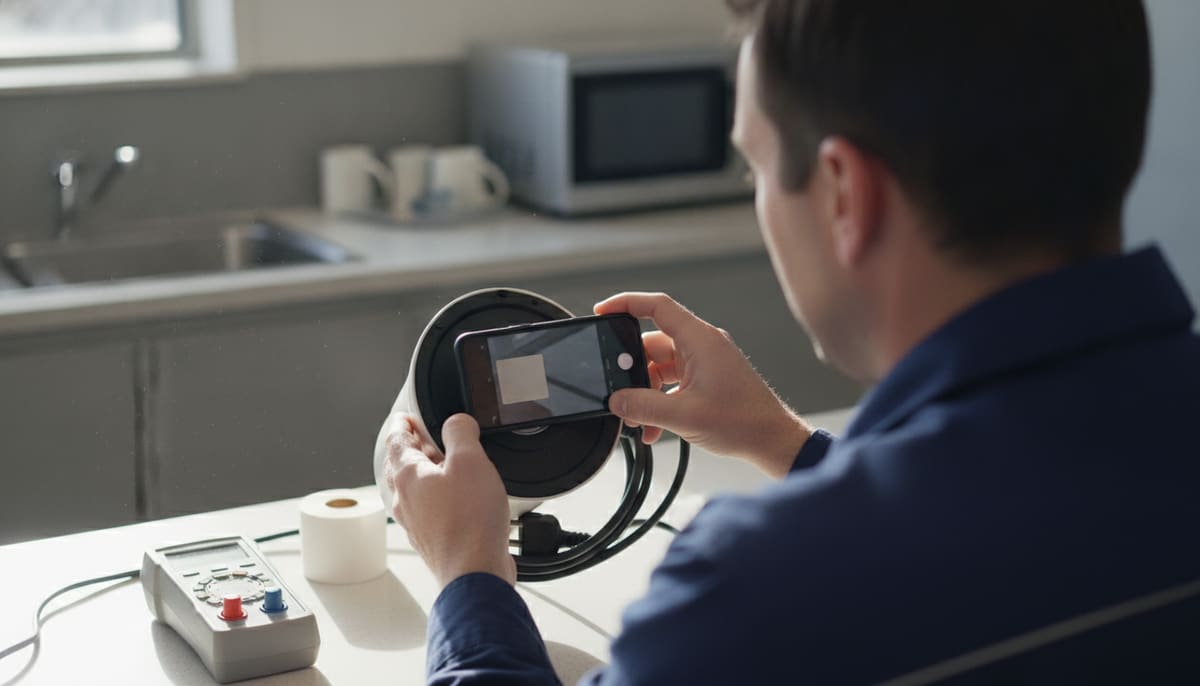
AI in test and tag is useful for the paperwork around a test, not for the test itself. AI test and tag tools can read a rating plate photo, match the columns of an old spreadsheet, turn spoken readings or rough notes into tidy records, draft a report and answer questions like "what's due next month?". They can't do the visual inspection, they can't decide pass or fail, and they can't make anyone a competent person. AI output can also be wrong, so a person checks everything before it becomes part of the record.
This guide is for test and tag operators weighing up AI tools, whether that's a feature inside their software or a general chatbot. It covers where AI saves real time, where it has no place, and a simple routine for checking what it gives you.
General information only. AI tools change quickly and so do the rules around them. Your duties under work health and safety law and AS/NZS 3760 don't change because software helped with the paperwork. Check the requirements in your state or territory and get advice if you're unsure.
Where AI fits in a test and tag job
A job has two halves. There's the work only a competent person can do with eyes, hands and an instrument, and there's the admin that turns that work into records, tags, certificates and invoices. AI belongs in the second half.
| Task | Can AI help? | Who decides |
|---|---|---|
| Adding a new item from its rating plate | Yes, by reading the photo and filling in the fields | You confirm each field |
| Importing an old register | Yes, by matching column names to the right fields | You review the matches |
| Recording readings and notes | Yes, by turning speech or rough notes into a tidy record | You check the record and set the result |
| Visual inspection | No | The competent person |
| Taking readings | No, the test instrument does that | The competent person |
| Pass or fail | No | The competent person |
| Retest interval | No | You, using AS/NZS 3760 and the risk at the site |
| Finding what's due | Yes, by answering plain-English questions | You check the answer against the register |
| Report and summary wording | Yes, as a draft | You edit and approve it |
What AI does well
The jobs below have three things in common: they're repetitive, the input is right in front of you to check against, and a mistake is easy to spot before it matters.
Reading rating plates
Typing the make, model, serial number and electrical ratings off a dusty plate is slow, and it's where typos creep in. A photo is quicker. AI that reads the photo can fill in a new item's fields in seconds, and you compare them with the plate while you're still standing next to the appliance.
Where it struggles is where people struggle too: worn or painted-over plates, glare, curved surfaces and tiny print. If the AI can't read a field, it should leave it blank rather than guess. If a field looks off, retype it.
Matching spreadsheet columns on import
Every old register has its own column names: "Tag No", "Asset #", "Last Test", "Next Due". Matching those to the fields in new software used to mean renaming columns by hand or following a fixed template. AI is good at this kind of matching because the column names and sample rows give it plenty to go on.
It can still mix up similar columns, such as "test date" and "due date", or the client name and the site name. Review every match before anything is imported, and spot-check a few items afterwards. Our guide to cleaning up equipment data before an import covers the problems AI won't fix for you, like lost leading zeros and dates in mixed formats.
Turning spoken results and rough notes into records
With a tester in one hand and a plug in the other, typing is the slowest part of the job. Saying "visual fine, earth point one, insulation over range" and having the sheet filled in is a real time saver. The same goes for turning "cord frayed nr plug, tagged out, told Jo in office" into a clear fail note.
The risk is a misheard number. "Point one" and "point five" sound alike on a noisy site. Read the record before you save it, the same way you'd check a form someone else filled in for you.
Answering "what's due?" questions
Asking "which clients are due next month?" or "what failed at the Smith Street site last visit?" is faster than building a filter. This works well when the AI answers from your own register rather than from general knowledge. Treat an answer as a starting point and click through to the items before you book a run of retests.
Drafting reports and summary wording
AI can turn your notes into a readable service report or a short summary for a client. That's useful because clients rarely read a table of 300 results. The important rule: counts, dates and results should be calculated from the records, not written by the AI. The AI should only supply the wording around them. Then you read the draft and approve it before the client sees it.
What AI can't do
None of the following can be handed to software, however good it is.
The visual inspection
AS/NZS 3760 sets out the inspection, testing and tagging methods, and the inspection is part of the job. Many faults are only visible or felt: a crushed cord, a cracked plug, scorch marks, a loose cord grip, a missing earth pin. A photo of the rating plate tells AI nothing about any of that.
Pass or fail
The result is a judgement by the person who did the inspection and the test. Software can compare a reading with a limit and suggest a result, but the decision should stay with the person who saw the equipment. If a tool saves a pass or fail without you confirming it, that's a reason to avoid it.
Being the competent person
In NSW, for example, equipment must be inspected and tested by a competent person: someone who has the knowledge and skills from training, qualification or experience (SafeWork NSW). The same page says the record must show the name of the person who did the testing, the date, the outcome and the next test date. That's a person's name, not a piece of software. AI doesn't change who is responsible for the result.
Setting retest intervals
Intervals depend on the type of equipment and the environment it's used in. A tool can calculate the next due date from an interval you've chosen, but choosing the interval is your call. Our test and tag frequency guide summarises the standard's indicative intervals.
Guaranteeing accuracy
AI can produce confident answers that are wrong. Australia's privacy regulator puts it plainly: AI systems are known to produce inaccurate or false results, and the risk is especially high with generative AI (OAIC). Build your process on the assumption that it will sometimes be wrong.
Privacy: be careful what you paste into a chatbot
Test and tag records hold more personal information than you might think: client contact names and phone numbers, staff names in fault notes, home addresses for mobile clients, and photos that may show people.
The Office of the Australian Information Commissioner (OAIC) has published guidance on privacy and commercially available AI products. Some points that matter for a test and tag business:
- As best practice, don't enter personal information into publicly available AI chatbots. The OAIC recommends against it, particularly for sensitive information, because of the privacy risks involved.
- Privacy obligations apply to what goes in and what comes out. That includes wrong information the AI makes up about a person.
- Do your homework before adopting a product, including how human oversight fits into your process and who can access the information you put in.
- Tell people. Businesses covered by the Privacy Act should update their privacy policy to explain how they use AI.
Many small businesses aren't covered by the Privacy Act. The OAIC explains that a small business is one with an annual turnover of $3 million or less, and that some are covered regardless of turnover, such as health service providers and Commonwealth contractors (OAIC small business guidance). Even if you're not covered, your clients may be, and they'll expect their details to be handled carefully. The simplest habit is to keep client data inside your test and tag software and out of general chatbots.
A simple routine for checking AI output
Use this every time AI touches a record:
- Check it against the source while it's in front of you. The rating plate, the instrument display, the original spreadsheet.
- Look hardest at numbers. Serial numbers, readings, dates and tag numbers are where a single wrong character matters most.
- Leave blanks blank. A missing field is better than a guessed one.
- Set the result yourself. Never let a suggestion become the result without your tap.
- Read drafts in full before anyone else sees them. Approve reports and summaries yourself.
- Spot-check after bulk jobs. After an import, open a handful of items and compare them with the original file.
- Keep the original. Keep the photo, the untouched spreadsheet or your notes until you're sure the record is right. Records you rely on for compliance need to be kept for as long as your state requires.
Questions to ask about any AI feature
Before you rely on an AI feature in test and tag software, ask the vendor:
- Does the AI ever set pass or fail, or save a result without a person confirming it?
- Are numbers in reports and summaries calculated from the records, or written by the AI?
- Does it answer from my own records, or from general knowledge?
- Who can see the data I put in, and is it used to train the AI?
- Is my data kept separate from other businesses' data?
- What happens when I reach a usage limit? Do testing and records keep working?
- Can I switch the AI features off and still do the whole job?
How Koalaris uses AI
Koalaris has Lyra AI built in, and it follows the rules above. Lyra reads rating plate photos to prefill new items, matches spreadsheet columns on import, fills in the test sheet from what you say with "Say it", answers questions about your register, drafts service reports from your notes and writes the wording of compliance summaries. Every number in a summary is calculated by Koalaris, not the AI. Lyra never sets pass or fail. With Say it it suggests a result from the readings you spoke, but nothing is saved until you tap Pass or Fail yourself.
Lyra only works from what the person asking is allowed to see, inside their own business. The Lyra AI page shows what's on each plan, including the monthly allowances on Free and Solo.
Common questions
Can AI do test and tag?
No. Inspecting and testing equipment is done by a competent person with a test instrument. AI can help with the admin around it, such as entering equipment details, recording results and writing reports, but a person does the inspection and sets the result.
Is it safe to use ChatGPT or another chatbot for test and tag records?
For general questions, such as how to word an email, it can help. Avoid pasting client names, contact details, addresses or photos of people into a public chatbot. The OAIC recommends against entering personal information into publicly available generative AI tools as a matter of best practice.
Who is responsible if AI gets a record wrong?
Your business is. The record names the person who did the testing, and the duty to have equipment inspected and tested sits with the business under work health and safety law. That's why every AI suggestion should be checked before it's saved.
Will AI replace test and tag technicians?
There's no sign of that. The inspection and test need a trained person on site with the equipment. What AI can reduce is the typing, the data entry and the report writing that take up time after the job.
Does AI work offline on site?
It depends on the tool. Most AI features need an internet connection to process a photo or a question. Check whether the rest of the app keeps working offline, so a poor signal doesn't stop you recording tests.
Want to see AI that hands every decision back to you? Start on the Free plan: no card, no end date and no limit on items, with a monthly Lyra AI allowance for rating plates, voice tests and questions.

Koalaris is test and tag software built in Australia. See what it does.
Keep reading
 Guides
Test and tag for events and markets: a guide for operators
Test and tag for events and markets: what organisers and councils ask stallholders for, AS/NZS 3002, leads and RCDs, and how operators run event-day testing.
 How-to
Test and tag register template (free CSV) and how to fill it in
Download a free test and tag register template in CSV. What each column means, the extra columns worth adding, and how to stop Excel breaking your tag numbers.
 Guides
Changing test and tag software without losing your history
Changing test and tag software? When to switch in the retest cycle, how to keep your tags, asset numbers and old certificates, and what to tell your clients.
See your register the way Lyra sees it.
Start free, for as long as you like. No card needed.