Practise a test with the welcome tour
New to Koalaris? The welcome tour walks you through a full test on a practice café: find the item, inspect, enter readings, pass, print the tag and finish.
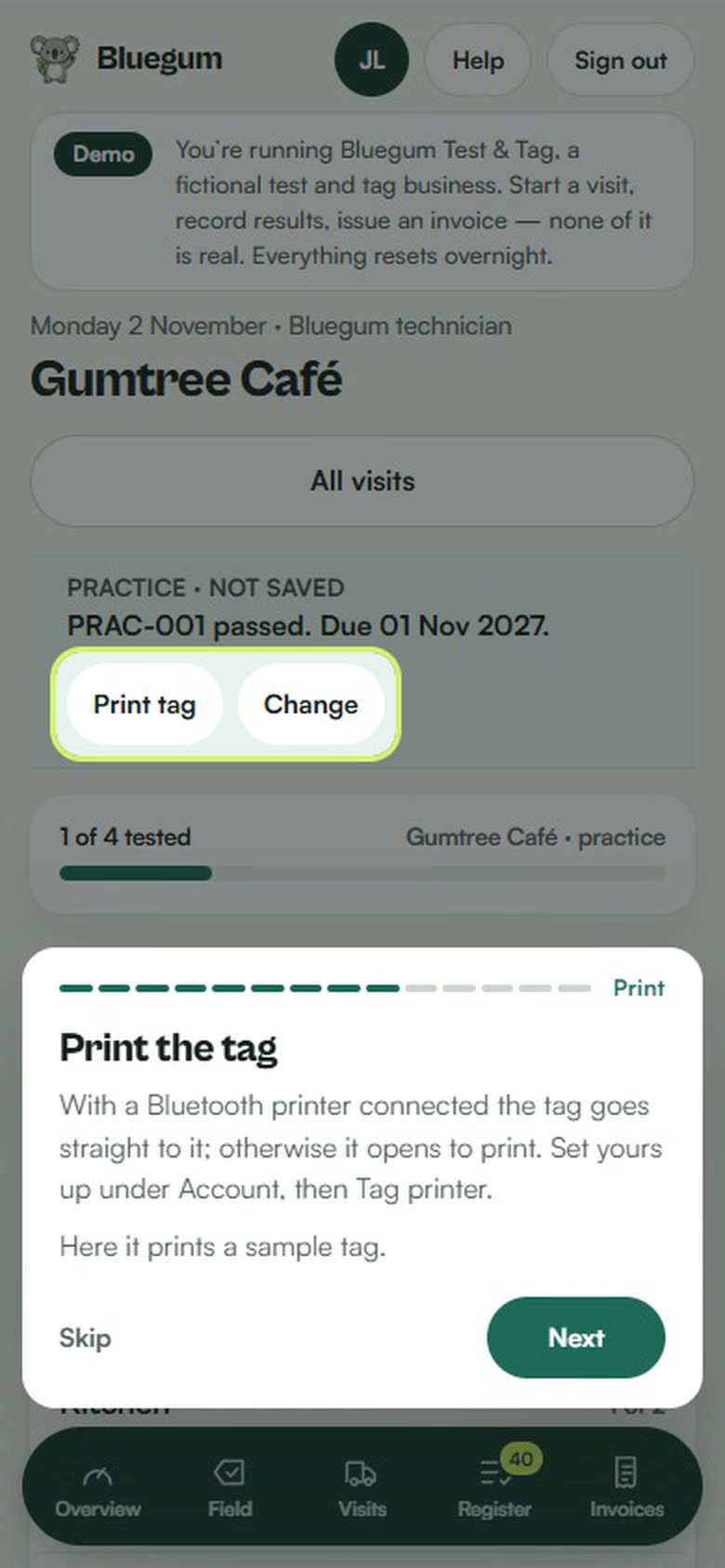
The first time you sign in, Koalaris offers a short tour of the testing workflow. It runs on a practice visit at a made-up café, so you can try every step before your first real job. Nothing you do on the practice visit is saved: it never touches your register, your plan or your invoices.
What the tour covers
- Start a visit: every job starts by choosing the client you're at, and the site if they have more than one.
- Your visit: everything due at the client, listed by room, with a bar that fills as you test.
- Find or scan: type an asset number or name, or scan the item's tag with the camera.
- Look it over: tick the visual inspection of the plug, cord, casing and labels.
- Enter the readings: type what your tester shows. Leave out any you didn't take.
- Pass or fail: you record the result. A fail asks why, and can email the client that the item must stay out of use.
- Print the tag: with a Bluetooth printer connected the tag goes straight to it; otherwise it opens to print. On the practice visit it prints a sample tag.
- Finish the visit: this issues the certificate, updates the register and sends the client one summary. Then invoice it.
- Your register and certificates: where every result and certificate lands.
Using it
- Press Next to move on, or do the step yourself. Back goes back a step and Skip closes the tour.
- On a phone the tour sits at the bottom of the screen, out of the way of what it is pointing at.
- Replay the tour any time from Account or Help, and use Practise a test on Account to open the practice visit again.
Tips on every screen
The first time you open a screen, a short tip explains what it is for. Skip one and it won't come back, or turn the tips off altogether. Your clients get their own one-minute look round their portal when they first sign in.
Common questions
Will the practice visit change my records?
No. The practice visit is made up and nothing on it is saved, so there is nothing to clean up afterwards.
Can my technicians use it?
Yes. Everyone on your team gets the tour the first time they sign in, and can practise again whenever they like. It's a good way to show a new starter the job before their first visit.
Do I need a printer for the tour?
No. The print step makes a sample tag you can look at or print. When you're ready, set up your tag printer.
What should I do after the tour?
Bring your existing register across by importing your spreadsheet, then start your first real visit from Visits. You can also see how a test is logged in the field app.
See your register the way Lyra sees it.
Start free, for as long as you like. No card needed.